
Since then, a bunch of new features have appeared on LinkedIn, and our experts have been constantly monitoring them and their new trends. So, now we have updated the guide and added the latest recommendations, we are happy to share them with you.
Why Do You Need a LinkedIn Profile?
First, ask yourself a simple question: what purpose does your LinkedIn profile serve right now? Are you looking for a job, planning to make a change in your career in a year or two, or do you just want to maintain your reputation in the professional community?
Then, are you using LinkedIn for work-related tasks and intend to use your page to promote the company you are working with? For example, if you are a marketer or recruiter, promoting an employer's brand on this social network may be part of your core responsibilities.
The answers to these questions, and therefore your positioning on LinkedIn, will directly affect the contents of your profile.
Intro
Fill in Key Information
Click the editing button (a pencil icon) on the right under the cover to fill in or edit key information about yourself: first and last name, current position and your other roles, industry, education, city of residence, contacts, and link to another website.
Pay Attention to the Headline
This line is right under your photo; you can see it in the feed next to your first and last name when you make a post or write a comment. The headline is always in plain sight, so it is very important. It usually automatically displays your current position and the company where you are employed, but you can always edit it.
Try to clearly explain what you do and what technologies you are familiar with. Include the additional roles you find important: mentor, teacher, volunteer, speaker, etc. It would be appropriate to include certification if it is valued in your area. Besides, it is extremely important if you are overseas and have a work permit – you should mention it in the headline as well.
Good headline examples:
- Vice President of Delivery, Fintech | Co-Head of R&D at DataArt in Kyiv;
- Expert and trainer in business analysis. CBAP, PMI-PBA, Ph.D.;
- Senior JavaScript Software Engineer / TeamLead (Kyiv) – DataArt;
- AI Consultant, Head of Financial AI in DataArt;
- HR, Recruiter | Looking for DevOps and Data Engineers with AWS and Informatic in Ukraine, Poland, Latvia, Bulgaria, Romania, Colombia, Argentina, and Brazil.
City of Residence
Remember to indicate your location and quickly change the information when you move. Geographic affiliation noticeably increases the chances of getting a relevant job offer.
If you are planning to move soon and look for a job in another country, you can specify the future country of your residence now. Hence, employers and recruiters understand in what location they can offer you their vacancies.
Active Link
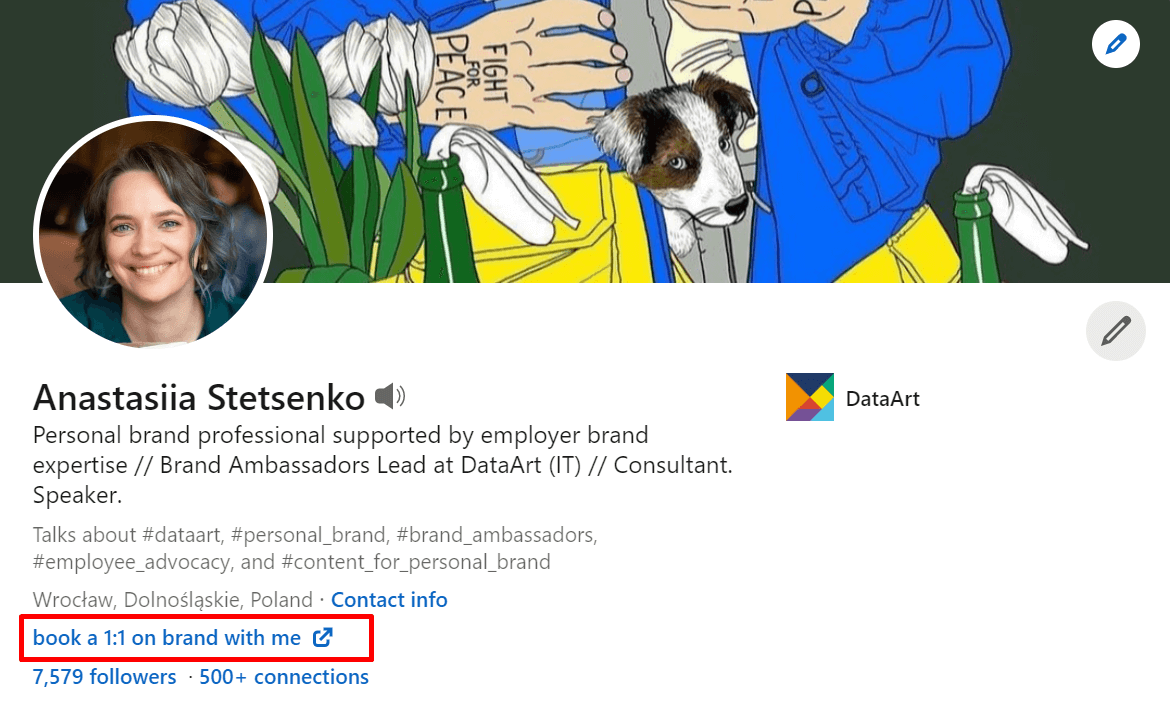
LinkedIn has the option to place an active link at the top of your profile. This could be, for example, a link to your resume on a third-party resource, to your company website if you are representing a company, or to a job posting if you are looking for someone to join your team.
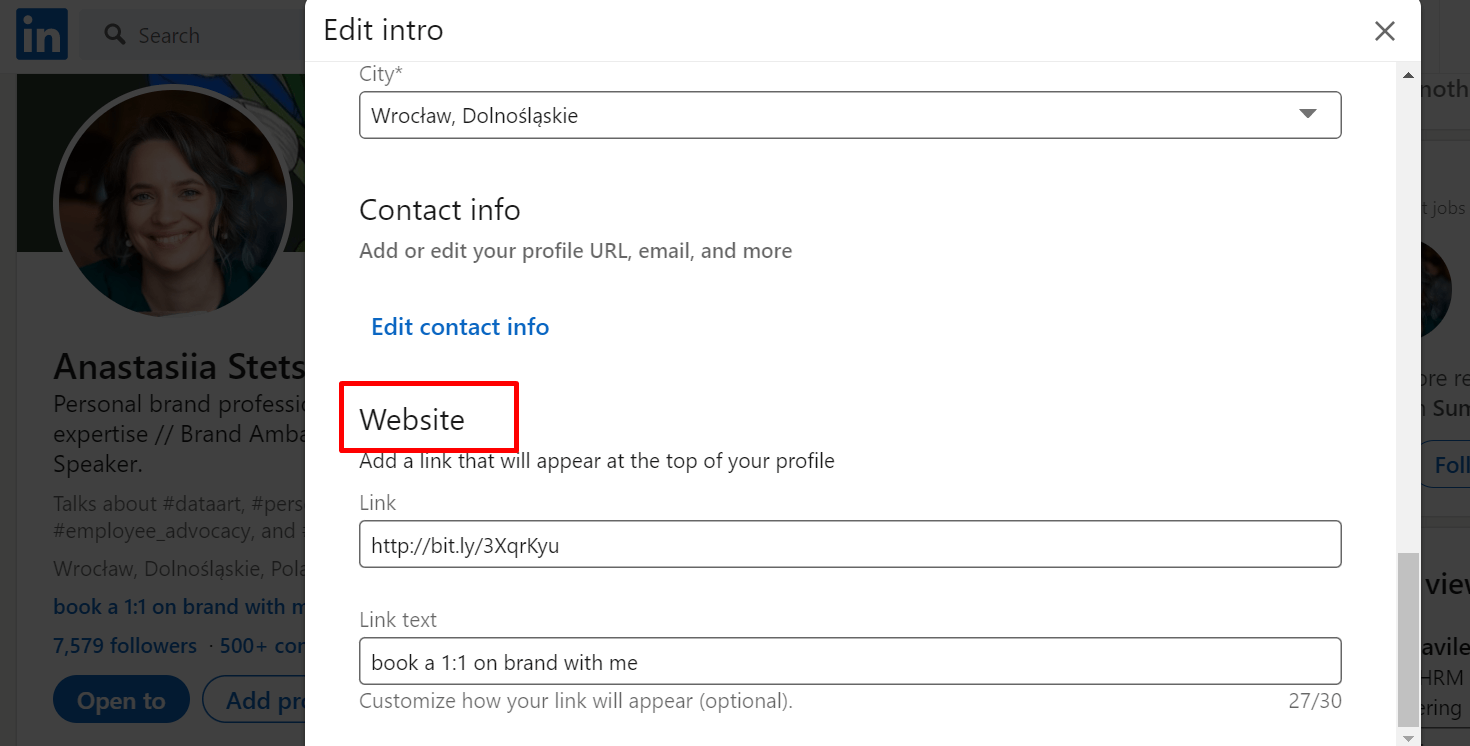
To add a link, click the pencil icon in the upper right corner of your profile's Intro and select Website.
Choose Your Profile Picture and Your Cover Picture
On any social network, you are traditionally judged by your looks. The visual design forms the profile owner’s first impression and indicates what goals they probably have at this particular resource.
Pay attention to your photo: it should be a good-quality portrait. It should not show other people, even if they are your family or friends, and you should be easily recognized. For this reason, it is better to avoid photos taken five years ago, even if you particularly like yourself in them, and not to be photographed for a profile in clothes for evening receptions. It is more appropriate to choose a portrait image in which you look as natural as possible.
A cover should be also noticed: as in the case of the profile photo, you should pick a high-quality image for it. What to put there depends on the message you want to convey: it may be the logo of your employer, a picture in support of Ukraine, or a metaphorical image of your activities. For example, a large plane may speak of your ability to manage large projects, and a photo from your office – to convey your passion for the business you love.
Here opens up a wide scope for creativity. Before you upload a picture, once again, ask yourself the main question: for what and for whom are you “decorating” the page? If you have no idea what to put on the cover, fill it with a solid color or choose an option from a specialized website.
Sections
How Can Sections Be Added?
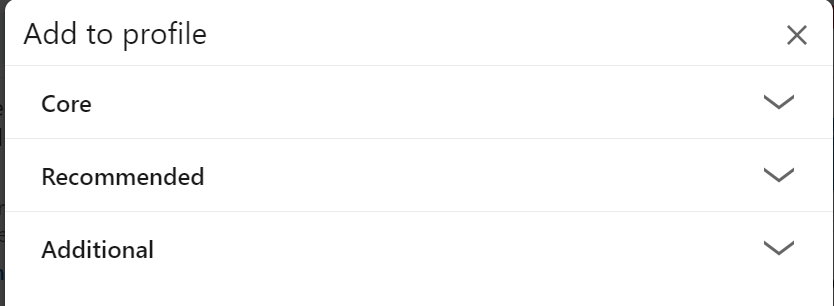
A LinkedIn profile consists of different sections, such as education, experience, position, etc. Click the "Add profile section" button to add a new section.
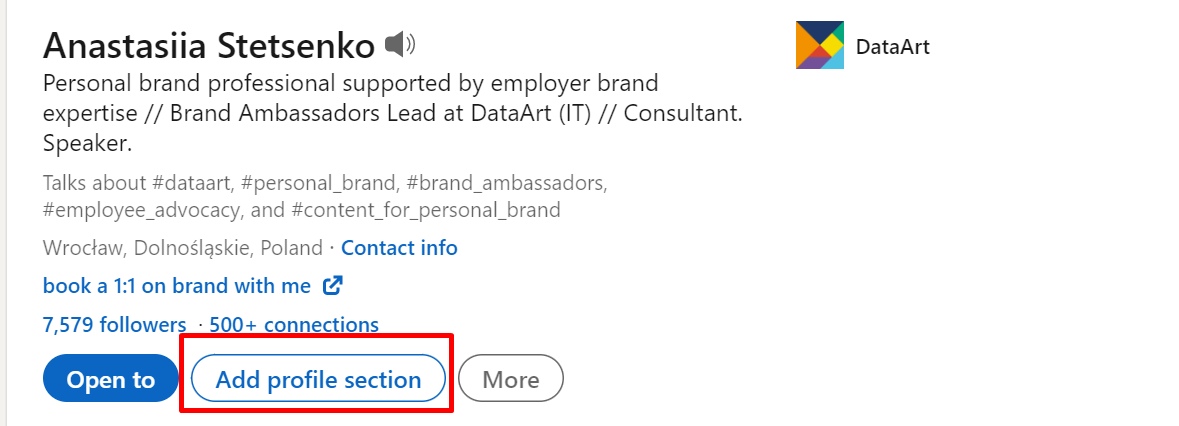
The sections are divided into three blocks:
- Core: about yourself, education, position, skills, etc.
- Recommended: licenses, certificates, and references
- Additional: volunteer experience, publications, patents, projects, awards, test scores, languages, cases, and contacts
The more sections you add, the better you tell your story. Besides, LinkedIn considers how detailed your profile is – the more complete it is, the higher your profile will be in search results, etc.
So, as you have already figured out, I am always in favor of filling in as many sections as possible. I will focus on the most important ones, which I highly advise everyone to fill in first.
Core: About
Make a self-presentation here – this section is made specifically for details. It is worth indicating who you are by profession, what tasks you solve for the business/project, how many years you have been working in this particular field, and how many – in management positions. It will be useful to list the types of projects and business areas in which you have worked. For example, finance, travel, etc.
It is good practice to list your skills, and if you are a technical specialist, the technologies you also know. By the way, HR managers search for candidates using these keywords, and LinkedIn is well-indexed by Google (if the profile is open). As a bonus, you can list not only your technical skills but also your soft skills and the languages you speak.
Do not label soft skills with just one term – explain what you mean. For example: "I know how to solve problems and how to organize and lead a project," or "I have experience solving complex business problems to achieve operational excellence.”
If you are presenting both yourself and your company, briefly describe what the company does and its strengths. For example, colleagues at DataArt often write something like, "I work at DataArt, a global software engineering firm that takes a unique human approach to problem-solving. We are a team of 6,000+ professionals with 25+ offices in the US, Europe, and Latin America and 95% return customers."
Finally, I always suggest adding a line or two about the kind of person you are. First, we look for professionals on LinkedIn, but we are always interested in what kind of person we are dealing with, who they are, and what is important to them. Moments like these can create an additional emotional connection to another typical developer or analyst profile. In those few lines, you can talk about your personal qualities, for example, what you do outside of work or what you value in your team or employer.
Core: Position – Work Experience
In this section, it is important to clearly explain what you do now and what you have done before. In addition to the boxes that LinkedIn offers by default, which are all worth filling in, it is also important to point out the following:
- areas of business and scope of the company;
- the type of projects and industry;
- your responsibilities;
- key results;
- skills;
- experience working in a distributed or multicultural team.
Tell about your responsibilities (remember the keywords) and what results you have achieved. The former will tell about your day-to-day work; the latter will tell what you perceive as success and that you not only enjoy (hopefully!) the process but also achieve relevant results.
Good examples for a list of achieved goals (we usually recommend writing it in English, but it all depends on which companies and markets you are targeting):
- successfully managed six projects: four of them are stable and ongoing, and two are already completed, meeting all business milestones;
- modernized the environment and core service;
- put a bot store product in Telegram, adding another sales channel;
- redesigned project documents (BRD, FSD) to make them understandable and save the team some time.
In each point, describe the project where you did this: what exactly was created in the project and in what industry.
If you have switched between different positions in the same company, mention it in your profile. This movement confirms your ability to develop without moving between employers, which is understandably important for them.
LinkedIn will prompt you to add media: links, photos, and videos. If there is something that illustrates your work in the position (portfolio, presentation, GitHub link, etc.), add it.
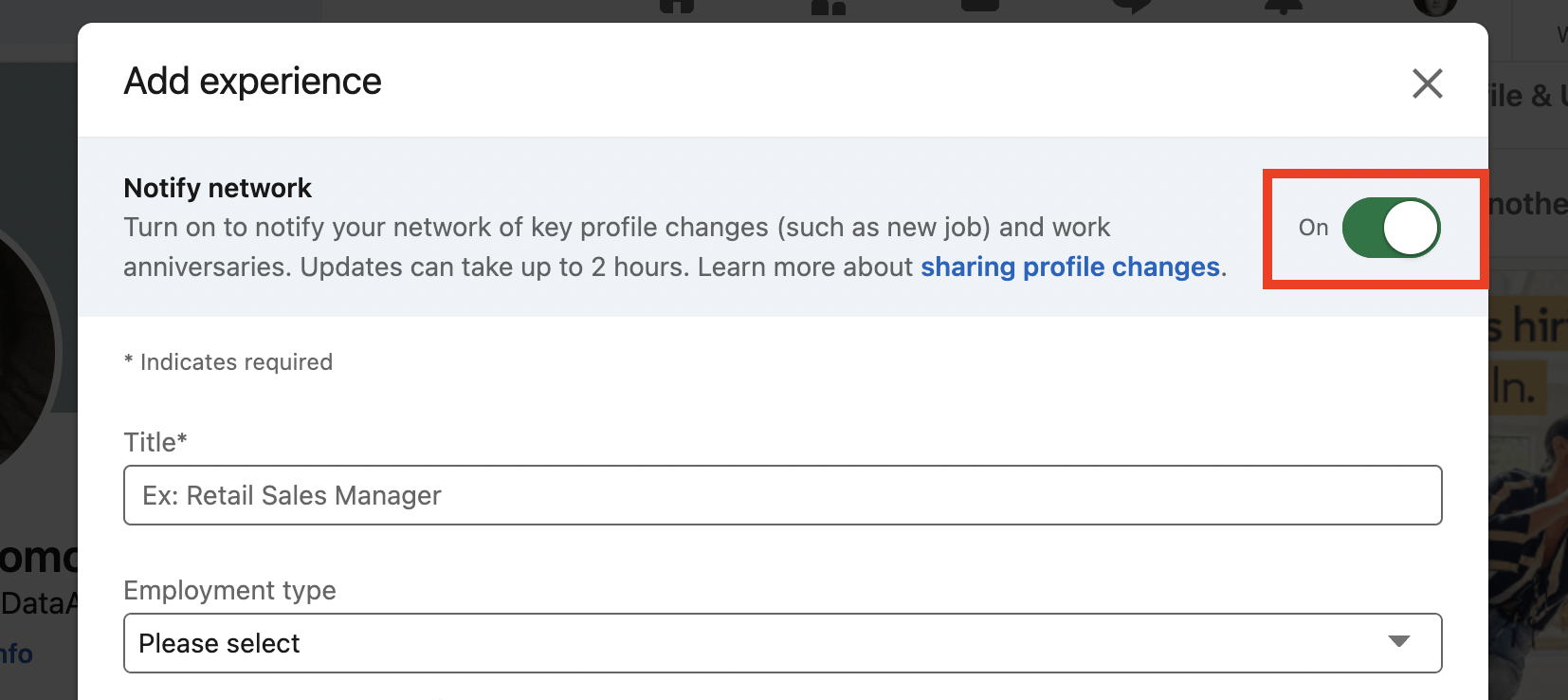
When you edit your work experience or add a new one, pay attention to the button that lets you notify your network of the new job. If you want to notify your subscribers of a new job, see if this button is enabled. If you choose not to notify the network, your new job will appear in your profile, but there will be no message in your news feed about it.
Core: Skills
List the skills you possess, and put the three most important ones for your current position at the top. Then ask your colleagues for endorsement – all they have to do is click the plus sign next to the skill or ability you listed. This reinforces your profile and proves that your skills list is not just a collection of random words. And do not hesitate to acknowledge the business qualities of those you interacted with at work either: mutual support on LinkedIn is necessary and important.
Recommended: Featured
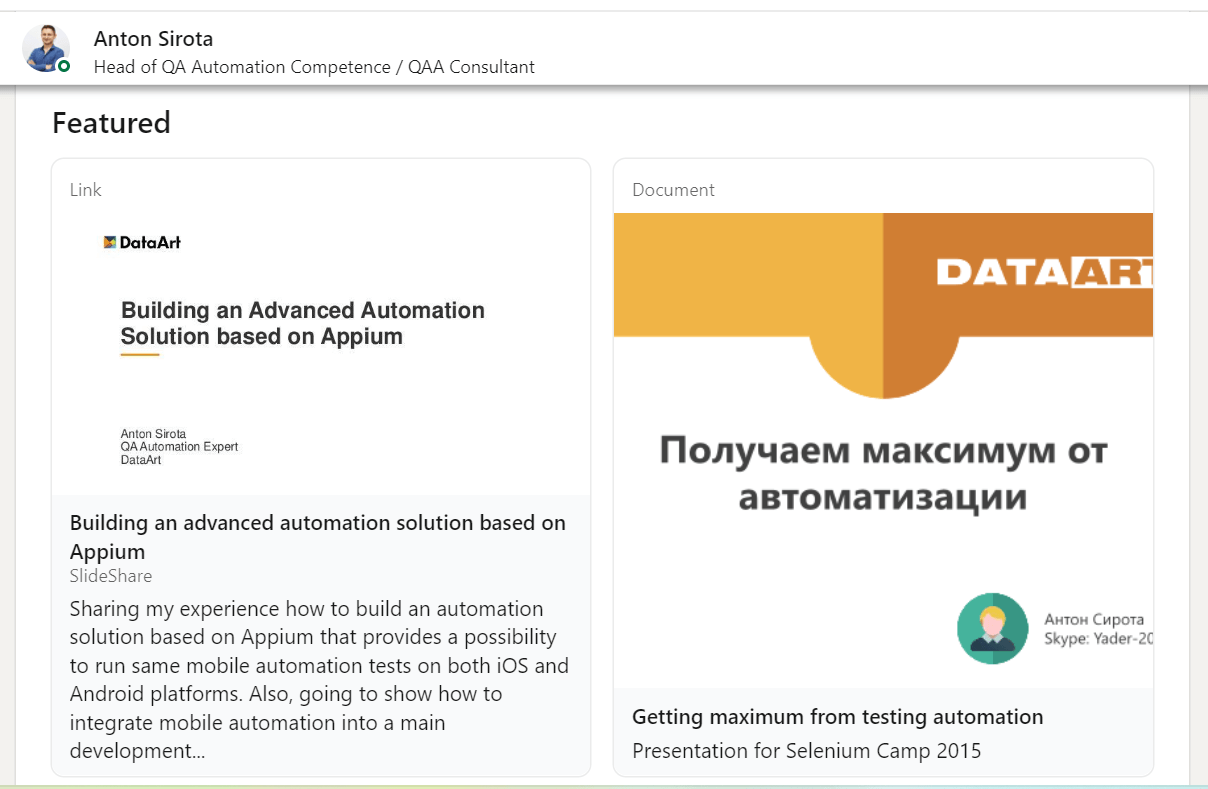
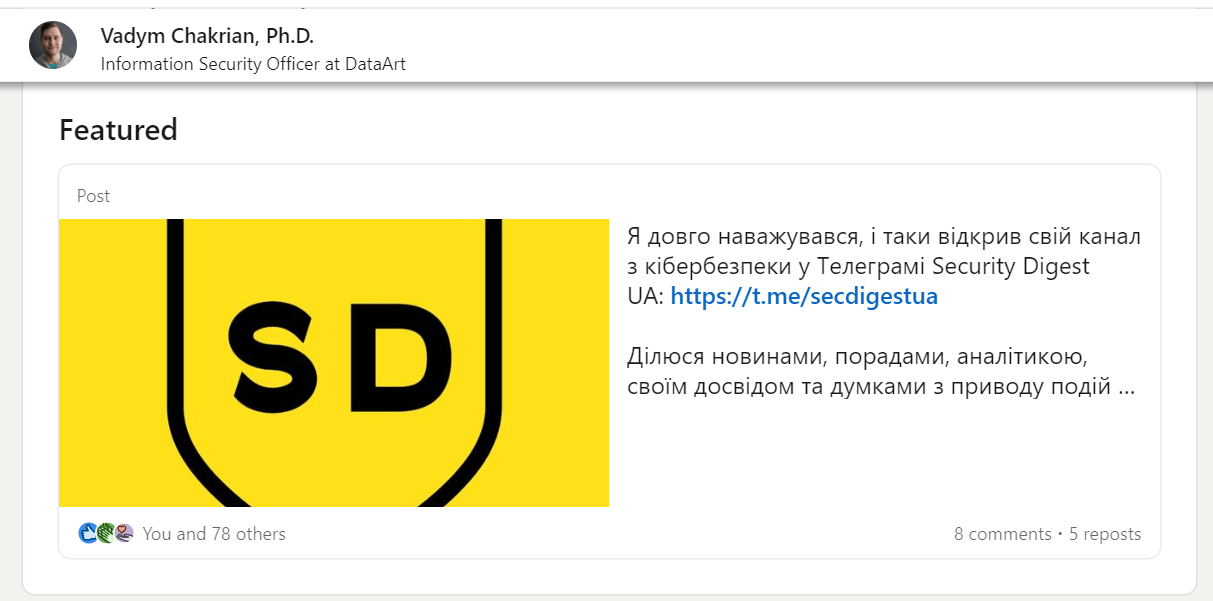
The Featured section in Recommended allows us to anchor selected links and media. Add posts, articles, links, photos, and videos that illustrate your work here. For example, links to your GitHub, portfolio, etc. If there are publications, media comments, or videos of you as a speaker, add them all here.
Recommended: References
References are an important part of your reputation. Nothing illustrates your resume more clearly than the opinions of real people who have worked or are working with you. And it is important not only to get references but also to give them to colleagues, observing the "give-take" balance.
You can ask for references from colleagues with equal positions, subordinates, managers, and clients. To make it easier for a person to write a reference, offer them help in the form of a chart:
- under what conditions you worked together (what project you worked on, what position either of you held, etc.);
- what you did in this project (e.g., "N participated in the pre-sale process and solution design development for the mentioned project, and was responsible for...");
- why working with you was a positive experience (answer what was particularly enjoyable or rewarding about working with you).
A reference can look like this:
“ Andrei and I have known each other for more than five years. During that time, Andrei has grown from an experienced senior PM to a DM with a $10 million portfolio and has become one of the most valuable experts.
I have witnessed Andrei solve a wide variety of issues and play many parts. First contact with a client, evaluation of possible projects, consulting, team building, service creation, competent closing of projects and accounts with careful preservation of people and expertise – these are just a few of the things he had to deal with.
This accomplishment is no accident, as Andrei has many qualities that have contributed to his success. He is honest and always straightforward about his intentions and doubts. Andrei works hard, never leaving things unattended, and at the same time, he is a good team player. He is a reliable partner to everyone he works with, and his clients and colleagues alike understand that.”
Extra
Pay attention to any additional sections of the profile (and fill them in!) that may further enhance it, particularly publications. If there are publications on any digital resources, videos of your presentations, etc. – be sure to add them to your profile.
Final Settings
Short Link
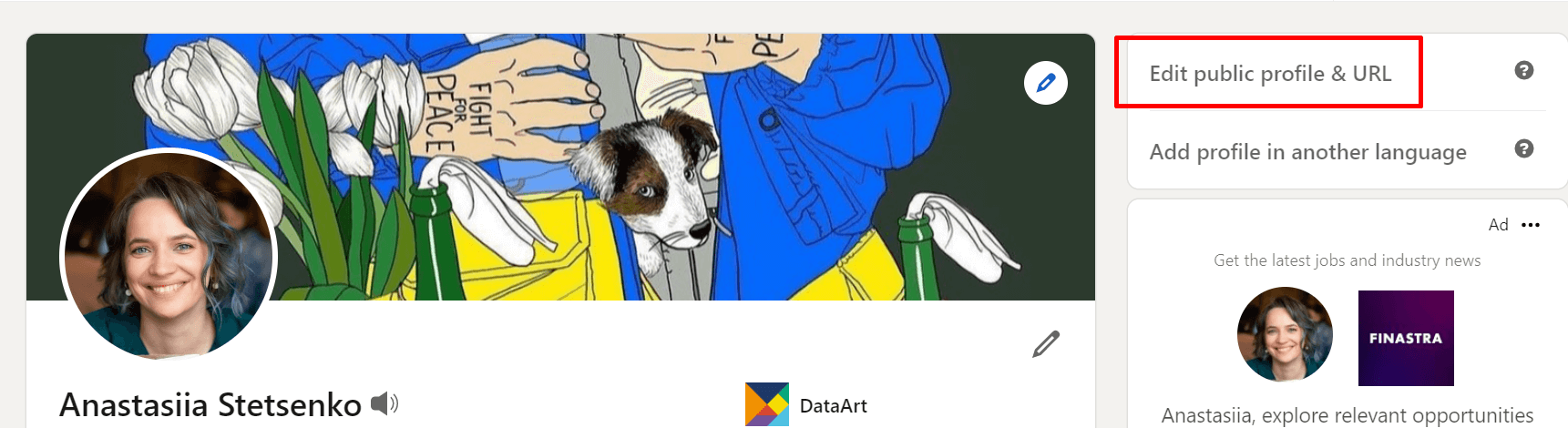
LinkedIn automatically generates awkward and long links to your profile, but links can easily be made pretty – there is a special point in the menu that allows you to shorten the URL. You can edit the short link and adjust your profile visibility via the "Edit public profile & URL" button.
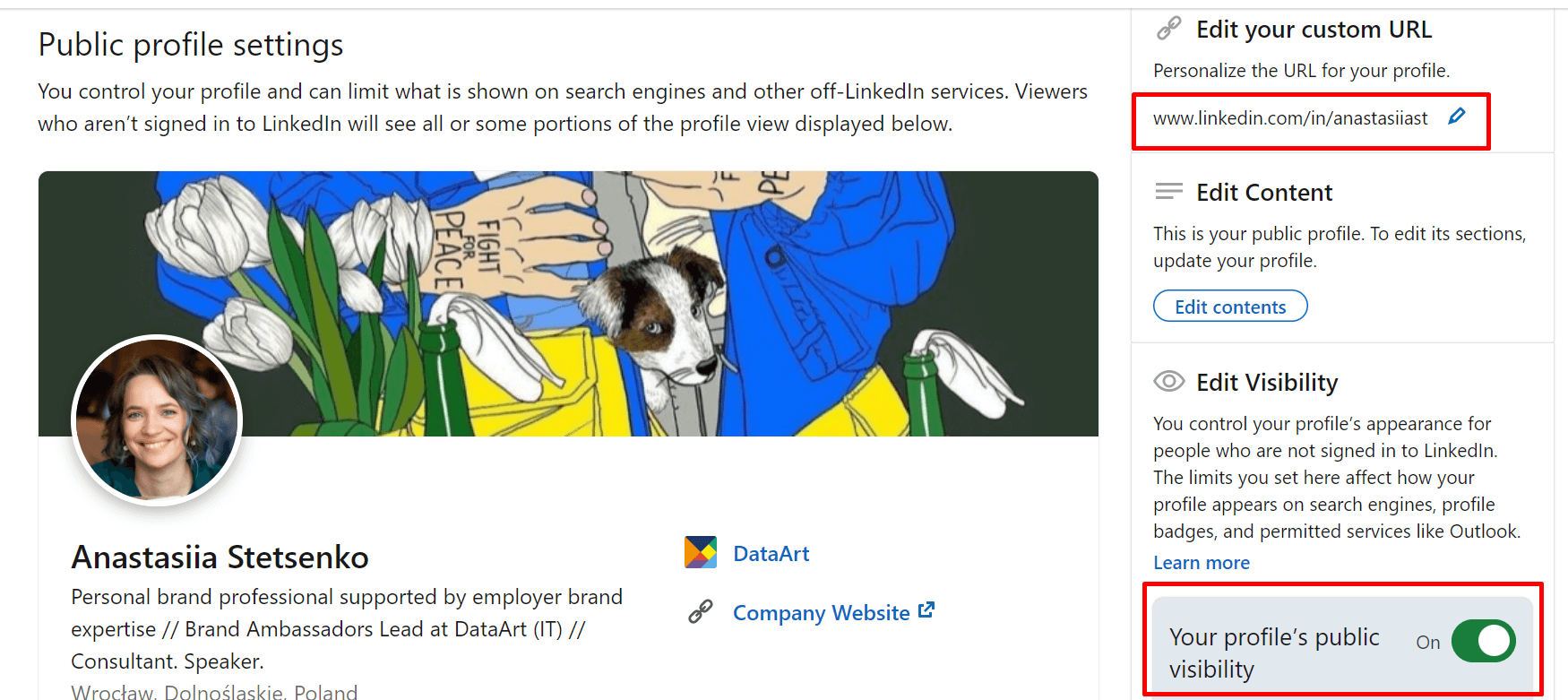
Profile Visibility
Once you have enhanced your profile, make sure it is public, meaning it can be found and viewed not only by LinkedIn users but also outside of the social network. LinkedIn is well-indexed by Google, and accessing your page through a search query is another chance to get noticed.
Thanks to more detailed settings under the profile visibility switch (in the screenshot above), you can choose whom to show your profile photo to – only to "friends," to "friends of friends and their friends," to all LinkedIn users, or to anyone who will search for you on Google – and whether to show your current and previous positions, your profile headline, education, languages you speak, etc. in search results.

Open to
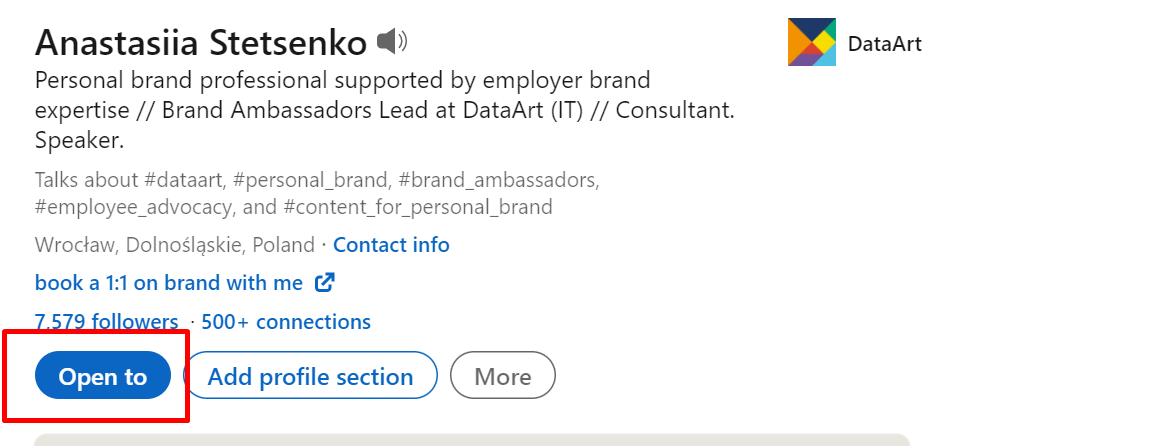
The "Open to" button will let recruiters know you are considering offers and will let candidates know you have open vacancies. LinkedIn will prompt you to provide more information about exactly what and where you are looking for – do it.
An Advanced Option – Creator Mode
LinkedIn supports those who actively create and publish posts and other content on the social network. If you have the desire and energy to speak out, do it! Posts help demonstrate your professionalism and stay visible in the community. It is good for your job search and building a strong professional reputation.
In the Resources section of your profile, select Creator mode and click On. Specify a few topics that you usually write on. These will appear in the Intro part of your profile and let people know what to expect from you.
Double-Check
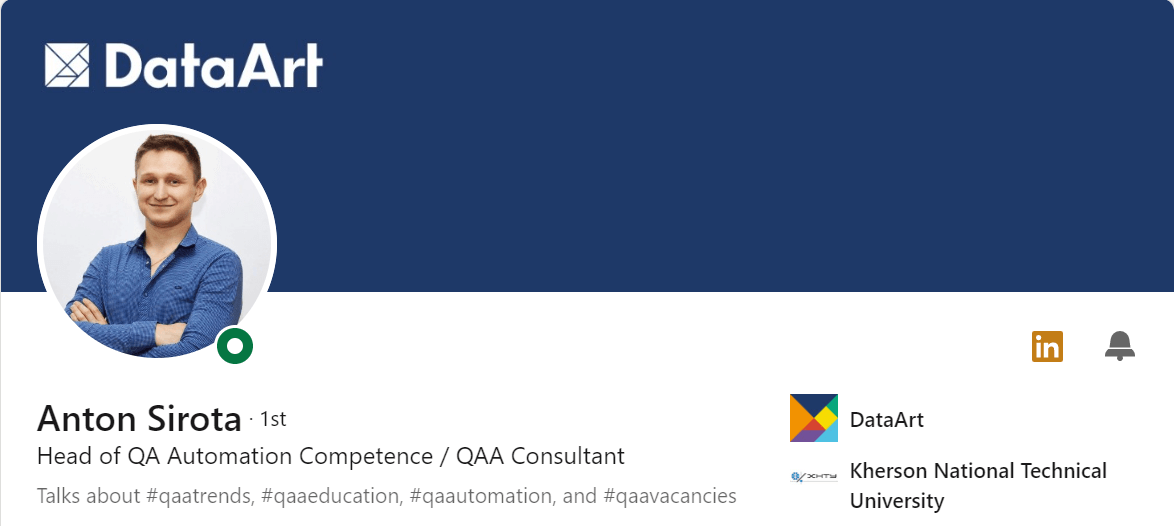
When you have already added all your profile sections, review them again. Firstly, make sure you filled in everything relevant to your experience. Secondly, do a final proofread and edit all the text you have added – you will likely find at least a couple of mistakes.
Regular Updates
Your LinkedIn profile is your self-presentation that is always available and can work anytime. Once every six months, take a close look at your profile and update it: chances are the circle of responsibilities has changed a bit in that time, another project has ended, a new publication has come out, or the most important skill is suddenly not the one you had before. Do not forget to show this shift – your page should be relevant and present you in an appropriate light.