Adobe AEM Edge Delivery Services: Comparing Three Authoring Approaches Through a POC
If you work with AEM and your team regularly gets asked to spin up a microsite or marketing campaign fast, you already know the pain. The standard AEM development flow—client libraries, page templates, Sling models, dialogs—is built for long‑lived, heavily governed sites, not for something that needs to go live in two weeks.
Edge Delivery Services (EDS) is Adobe’s attempt to solve exactly that problem. To understand how it works in practice, I ran a proof of concept comparing all three available authoring approaches end to end—what each one actually looks and feels like in daily work, where it breaks down, and which one to pick for which situation.
What Edge Delivery Services Is
Edge Delivery Services (EDS) is a relatively new technology promoted by Adobe as a modern content delivery framework focused on speed and simplicity. One of the key KPIs for sites built with EDS is performance, particularly Lighthouse scores.
EDS is based on the idea that regular AEM—whether using HTL, the SPA Editor, or headless approaches with modern frameworks—is fairly heavy. It requires specific AEM knowledge (for example, how clientlibs work) and tends toward monolithic architectures.
Instead, EDS is inspired by the micro‑frontend concept, where separate parts of a site are built as independent components that do not create regressions in the rest of the system. For a general overview of the concept, see Micro‑Frontends. Adobe also provides a dedicated tutorial on this approach for EDS: EDS Micro‑Frontends Tutorial.
In EDS terminology, these independent pieces are called blocks. For a site consisting of a set of blocks, you create a separate Git repository that is connected via the Git sync plugin to a specific project in the EDS space. This repository contains frontend code written in vanilla JavaScript and CSS, as recommended by Adobe to achieve the highest possible Lighthouse score and simplify AI-assisted development. The code is pushed to GitHub directly, without any build step.
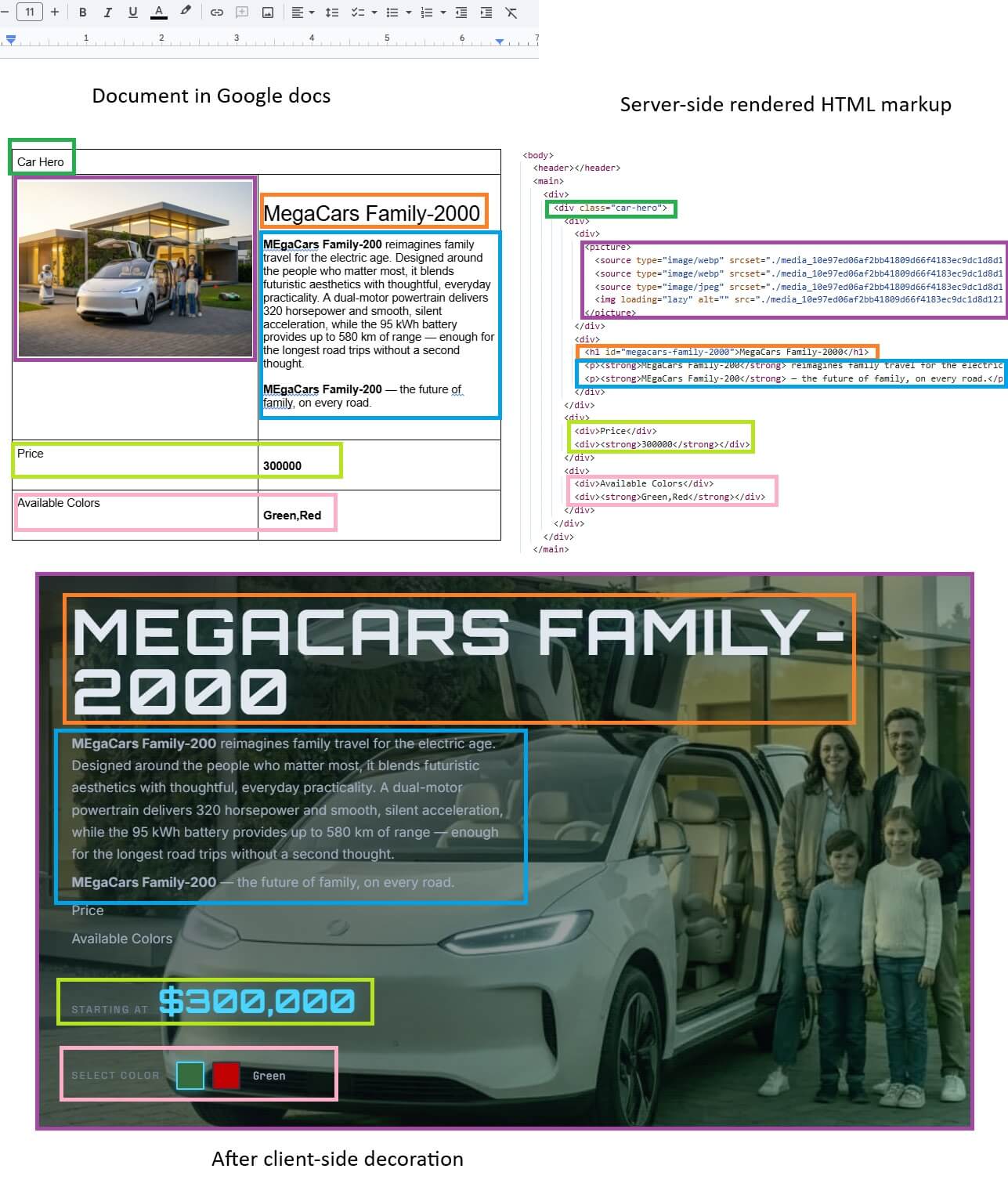
Through EDS pipelines, this code is mapped to server‑side‑rendered HTML pages that contain universal, semantically meaningful markup. For details on how this works under the hood, see Adobe’s page.
In this model, the frontend is used only for client‑side decoration (CSD) of the server‑rendered HTML content. There is no backend involved during SSR in the way there is with HTL. All additional backend functionality is exposed as separate endpoints—for example, REST or GraphQL APIs using Content Fragments.
POC Setup
EDS offers three content authoring options:
- da.live — a focused interface for creating semantically clean content split into sections, exposing only meaningful operations.
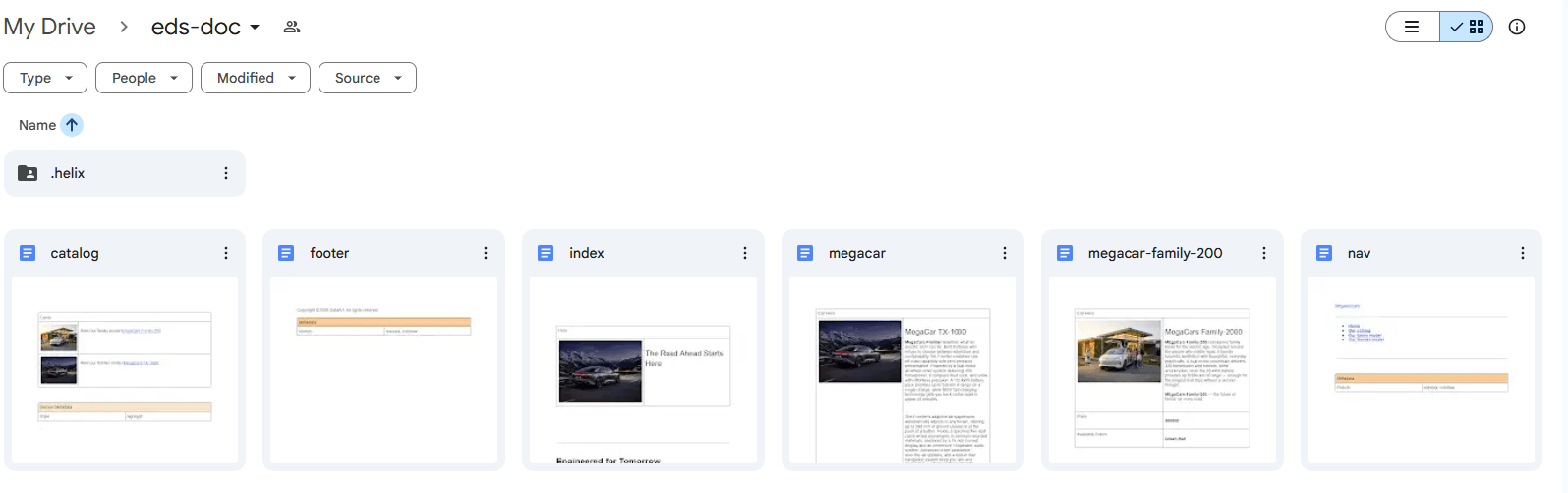
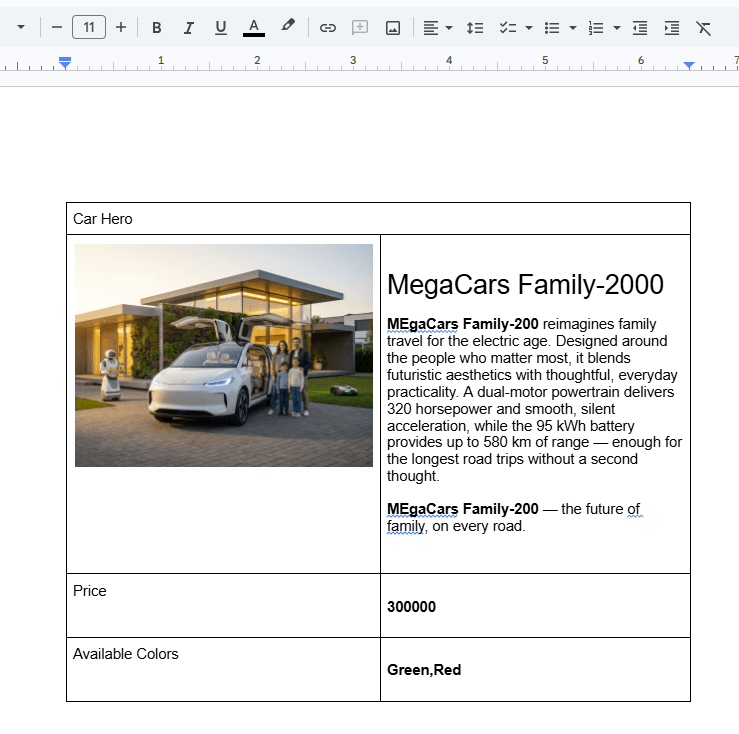
- Google Docs or SharePoint — authors create content in familiar document tools and publish it using a Chrome extension. During publishing, the document is transformed into semantic HTML and wrapped in the frontend.
- AEM Sites — a traditional WYSIWYG authoring experience where configuration defines which paths use EDS and which GitHub repository provides the frontend. Content is stored in JCR, while all AEM features remain available.
Because EDS reduces content to basic semantic structures, the primary authoring approach for the first two options is document-based authoring.
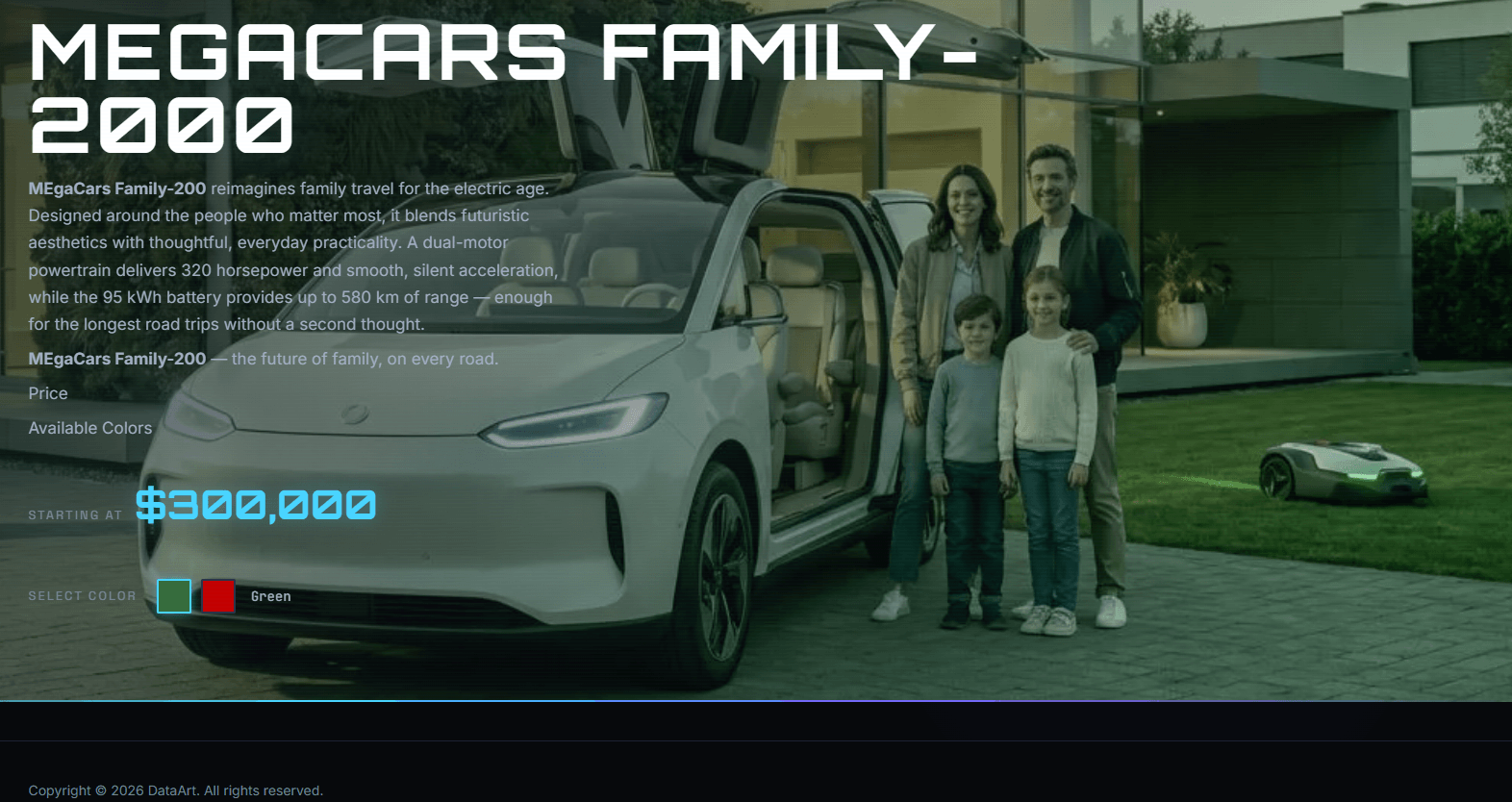
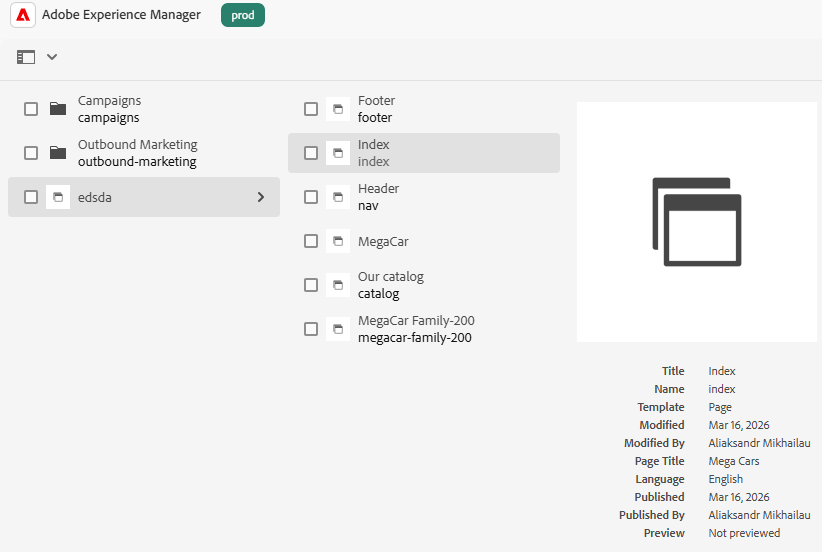
For the POC, I created two code repositories—one used for AEM Sites–based authoring and one for document authoring. I then created three EDS projects: one mapped to AEM Sites, one to Google Docs, and one to da.live. In all three, I created the same content: one landing page, one mini‑catalog page, two product pages, plus navigation and footer pages.
The Three Resulting Projects
Approach A: Document Authoring in Google Docs / SharePoint
(I used Google Docs.)
Pros
- Familiar workflow for authors already used to Google Docs.
- Simple authoring flow: create documents following defined semantic rules and publish via a Chrome extension.
- No AEM knowledge required for authors.
- Google Sheets for configuration, transformed into JSON by the EDS pipeline.
- Built‑in collaboration, versioning, and access control provided by Google Docs.
Cons
- No content validation, so authors cannot be sure components will render exactly as intended.
- Semantic mismatches are possible because Google Docs allows constructs with no HTML equivalent.
- Chromium browsers dependency for publishing; Safari and Firefox are not supported.
- Image limitations, including automatic resizing on the longer side.
- DAM integration requires an additional extension.
- An AEM Sites license is still required.
Who This Fits
This approach suits teams that already have an AEM Sites license and want to launch a marketing campaign, blog, or microsite quickly with authors who are not familiar with AEM or da.live. It pairs particularly well with AI‑assisted frontend development and embedded AI content authoring in Google Docs/SharePoint.
In my case, authoring 4 pages, including header and footer, took around 40–50 minutes. I didn't use the AEM Asset Picker, so I had to upload images each time and insert them into the Google Doc. I didn't use Gemini's built-in features (which would probably have sped things up); instead, I used AI-assisted content authoring in a separate AI app to convert the prepared content into the semantic format suitable for document authoring per Adobe's instructions.
Approach B: da.live
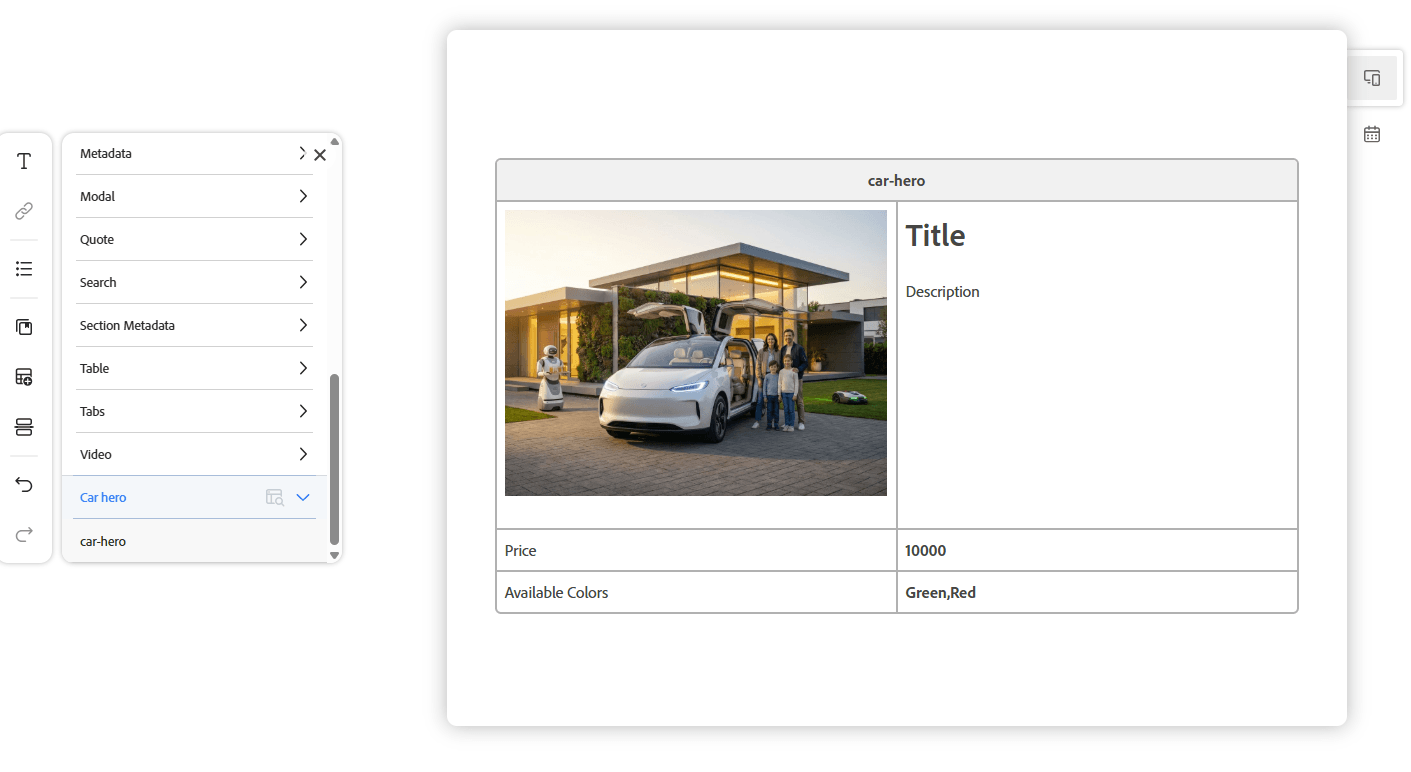
The da.live interface looks like a distillation of what is actually needed to create semantically meaningful content.
Pros
- Minimal, purpose‑built interface focused on semantic constructs.
- Preview can be enabled.
- Asset picker and other AEM‑backed features.
- Structured data reuse, versioning, and collaboration.
- No browser plugin required.
- AI-assisted content authoring is possible but only via the DA MCP server — there are no native AI integrations in the interface itself.
Cons
- Limited translation support, far from AEM MSM parity.
- No default WYSIWYG editor showing final rendered output.
- No input validation, requiring authors to understand semantic rules.
- No built‑in review or approval flows.
- Permission control does not scale as flexibly as in AEM Sites.
Who This Fits
da.live fits microsites, marketing campaigns, and blogs where you want document‑oriented, semantic authoring and are comfortable trading governance features for speed.
Authoring the same content took about one hour. I didn’t use the AEM Asset Picker, so each image had to be uploaded again manually. Some time was also spent adapting to the lack of input validation — it took a moment to understand how semantic text and tables map to components. I used AI-assisted content authoring to convert the prepared content into a semantic format suitable for document-based authoring. The same format was also used for authoring in Google Docs.
Approach C: AEM Sites Authoring
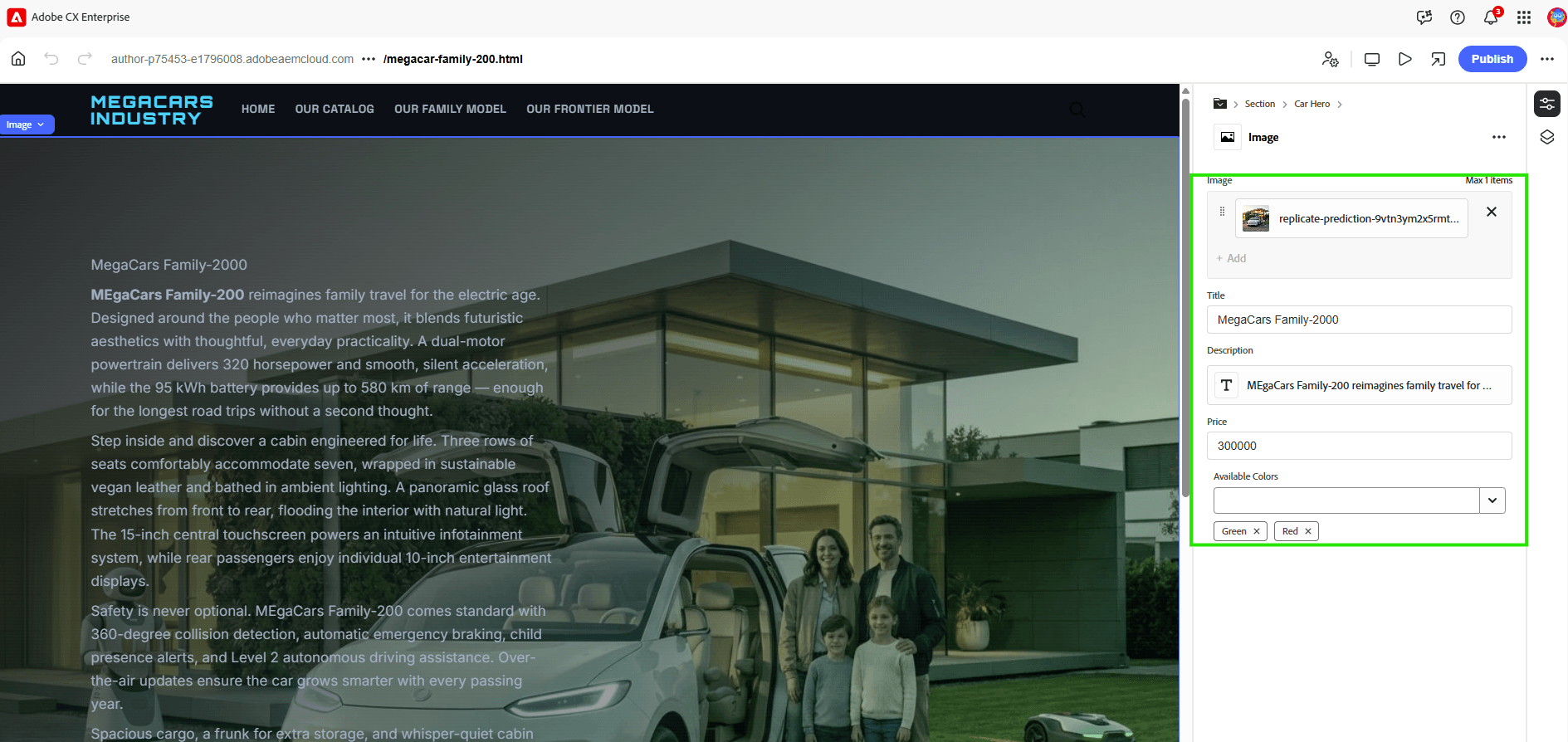
In AEM Sites, the authoring experience is identical to the familiar Universal Editor workflow. From a content author’s point of view, EDS with AEM Sites feels almost the same as regular AEM authoring.
Authoring the same four pages plus header and footer took around 30 minutes, largely because images were reused from DAM and the workflow was already familiar.
Pros
- No learning curve for experienced AEM authors.
- Full AEM feature set, including DAM, workflows, and translation.
Cons
- Significant learning curve for authors new to AEM.
- Limited AI‑assisted authoring compared to document‑based approaches.
Who This Fits
This option fits teams where AEM Sites is already deeply embedded in project workflows and content authors are experienced with it. EDS then accelerates frontend development while content velocity remains the same.
Frontend Developer Experience
As part of the POC described above, I implemented one medium-complexity custom EDS component (“Car hero”) and styled the microsite using AI-assisted coding. Thanks to the lack of a build step and the AEM boilerplate template, the overall coding experience—from setup to release—took only a few hours.
The component itself took around one hour, including model definitions for the Universal Editor. Implementing the same functionality using traditional AEM Touch components would likely take 8–16 hours.
Decision Algorithm
- Use AEM Sites authoring + EDS delivery if you need workflows, DAM integration, complex data, or advanced translation.
- Use Google Docs or SharePoint document authoring if authors are non‑AEM users and AI‑assisted content creation is important.
- Use da.live if you want semantic, document‑oriented authoring without WYSIWYG or heavy governance, and with clear intuitive interface.
When EDS Isn’t a Good Fit (My Opinion)
This reflects my practitioner opinion, not Adobe’s official position.
EDS is not a good fit for complex, multi‑tenant AEM applications with heavy backend logic, strict template and component policies, and large reusable component libraries. It works best as a precision tool for fast‑moving microsites and marketing campaigns.
Licensing
Currently, Edge Delivery Services is part of AEM Sites from a license perspective and requires an AEM Sites license. EDS development itself does not require a separate license, and EDS can run without AEM author or publish instances when using document authoring only.
If you’re currently evaluating EDS for a project, or have run into edge cases not covered here, I’d be happy to compare notes. Feel free to find me on LinkedIn.